Showing posts with label #ERP_CLOUD. Show all posts

Thursday, 7 December 2023

How to submit ESS Job request using SoapUI in Oracle Fusion

Submit ESS Job request using SOAP UI using SOAP web service ERP Integration Service

Step1: Navigate to oracle document.

https://docs.oracle.com/en/cloud/saas/financials/23d/oeswf/erpintegrationservice-d16476e420.html#u30243249


Step2: Select ERP Integration Service

Step3: Copy Service WSDL URL


Step4 : Replace servername with Fusion ERP URL from Service WSDL URL: https://servername/fscmService/ErpIntegrationService?WSDL

e.g. if your fusion ERP URL is https://fa-makd-saasfademo1.ds-fa.oraclepdemos.com/fscmUI

Then replace server name with fusion URL as given below.

e.g. WSDL URL: https://fa-makd-saasfademo1.ds-fa.oraclepdemos.com/fscmService/ErpIntegrationService?WSDL

Step5: Open SoapUI tool and enter project name and WSDL


Step6: Click on OK button , it will fetch service details 
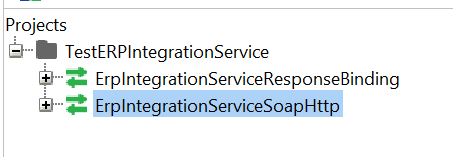

Step7: Expand ERPINtegrationServiceSoapHttp service and select SubmitESSJobRequest


Step8 : Login to Fusion application and got to Manage Job and schedule from Setup and Maintenance 

Step9: Enter details for Job package name and Job Definition Name 


Step10 : submit SOAP request

Check output


You can see same ESS job request id get submitted in ERP application 


Monday, 4 December 2023

How to load GL daily rates using FBDI in oracle cloud ERP

 Step1) Download FBDI file for GL daily rates

https://docs.oracle.com/en/cloud/saas/financials/23b/oefbf/importandcalculatedailyrates-3135.html#u30240265


Download DailyRatesImportTemplate.xlsm file

Step2) Open FBDI file and EDIT as per your requirements.


Step3. Click on Generate Daily Rates button generate zip file


Step4) Login to cloud application and check existing rates for given date.


Step5) Run Load Interface File for Import job in application


Pass parameter for daily rates


Browse zip file from computer and submit Job

It will run below given 4 program one by one automatically.


Once last program import and calculate Rates get successful check latest updated daily rates for given date. FBDI program loaded data successfully in cloud.


Oracle Fusion SQL Queries to get Sales Person/Sales Representative information for an Order

1) Get sales person details if the Sales Person ID is known SELECT  jrs.SALESREP_NUMBER  ,         jrs.status           ,         jrs.START_...